This summer, Apple pushed notifications about F1 movie ticket offers through the Wallet app. Not many iPhone users thanked them for the tip. Not many iPhone users were pleased, since Apple was violating its own App Store guidelines prohibit push notifications for promotional purposes unless users explicitly opt in.
Sure, users could turn off all notifications from the Wallet app, but the fact that Wallet handles users’ financial information, that is not a solution.
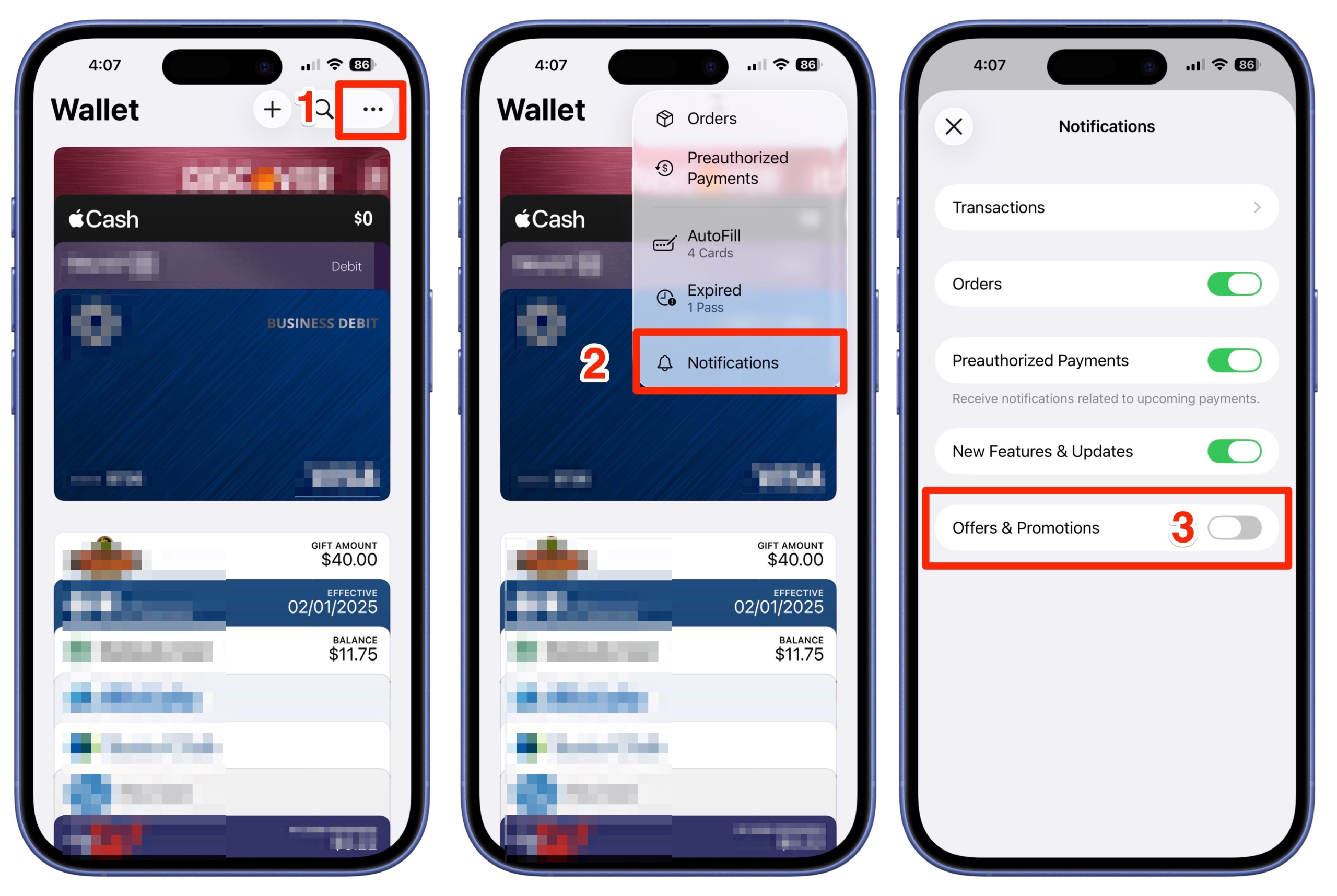
Luckily, the latest beta of iOS 26 brings good news, as first noticed by MacRumors, Apple has added an option to toggle off marketing message in the app. Here’s how to do it.
Here’s how to disable these notifications in iOS 26:
Once you’ve disabled Offers & Promotions notifications, you’ll no longer receive notifications about special offers and discounts through the Wallet app while still receiving alerts about transactions, orders, payments, and new features and app updates.