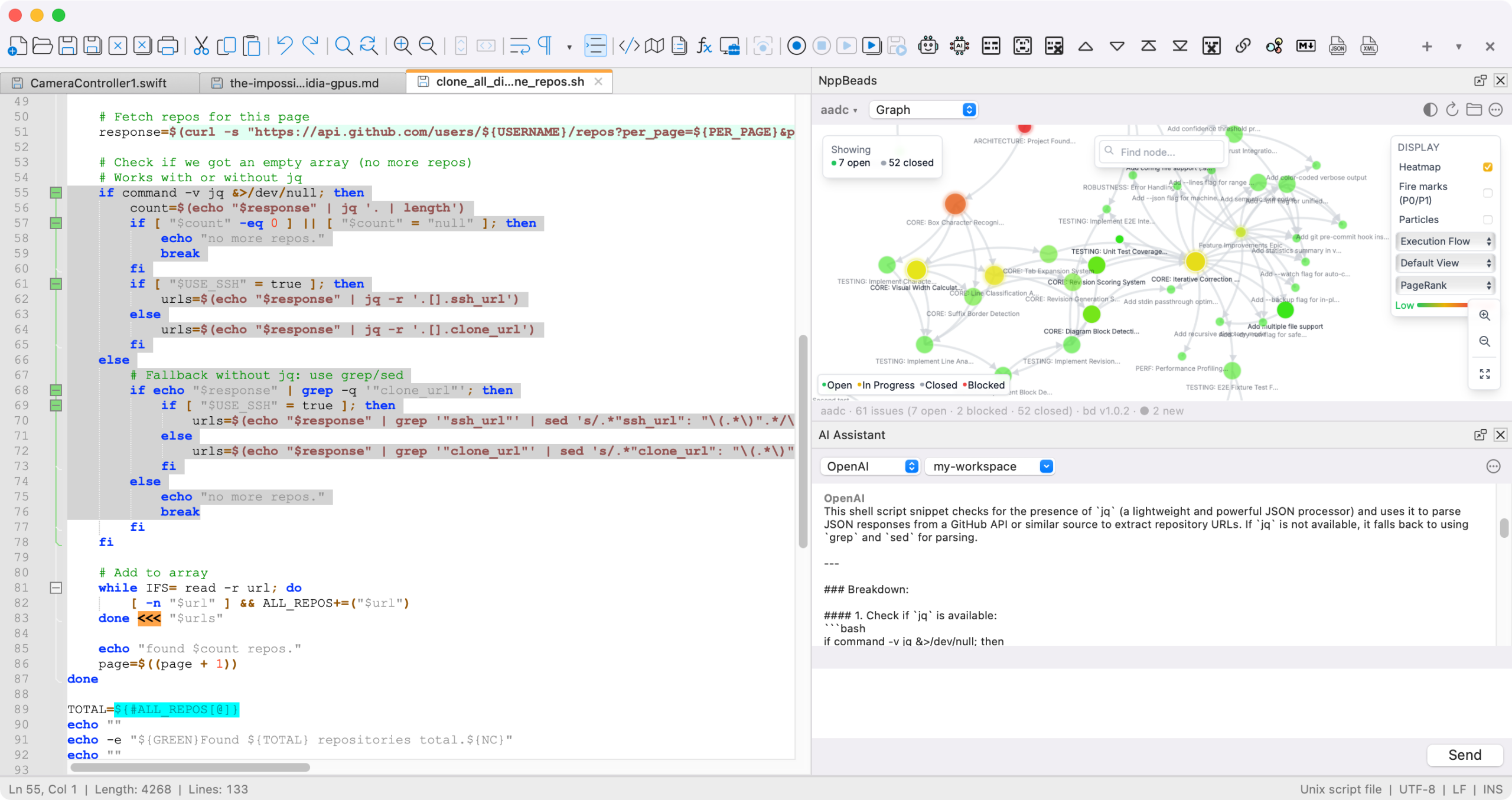
It may have taken more than two decades, but the popular Notepad++ coding editor is now available as a native macOS app, thanks to an unofficial open-source community port of the original Windows codebase. The app is a universal binary, meaning it works on both Apple Silicon and Intel Macs.
What is Notepad++ for Mac?
Notepad++ is now available as a native macOS application. It is a free, open-source source code editor and Notepad replacement that supports many programming languages and is great for general text editing. No Wine, Porting Kit, or emulation layer is needed — this is a full native port governed by the GNU General Public License.
Based on the powerful editing component Scintilla, Notepad++ for Mac is written in Objective C++ and uses pure platform-native APIs to ensure higher execution speed and a smaller program footprint. I hope you enjoy Notepad++ on macOS as much as I enjoy bringing it to the Mac.
This project is an independent open-source community port of Notepad++ to macOS, started on March 10, 2026. It is distributed as an Apple Developer ID-signed and Apple-notarized Universal Binary, runs natively on both Apple Silicon (M1–M5) and Intel Macs, and contains no telemetry, no advertising, and no data collection of any kind. The full source is available at github.com/notepad-plus-plus-mac/notepad-plus-plus-macos. For the official Windows version of Notepad++, visit notepad-plus-plus.org.
Notepad++ has reigned as one of the most popular text editors for the Windows platform for more than 20 years. Until now, Mac users were forced to improvise, with the best (bit certainly not satisfying) option being running it through a Wine or CrossOver compatibility layer.
As reported by MacRumors, the editing experience on the macOS version of Notepad++ is identical to the Windows version, offering syntax highlighting for 80+ languages, search and replace, the Scintilla engine, tabbed editing, macro recording, and plugin support. However, the menus, dialogs, file pickers, keyboard shortcuts, and windowing for the app all use native macOS Cocoa APIs.
Notepad++ for macOS is maintained by Andrey Letov, who wrote the Objective-C++ Cocoa UI that replaces Notepad++’s Win32 front-end. The unofficial macOS version is available as a free download from the Notepad++ website. It’s released under the GNU General Public License, meaning there are no ads, subs, or hidden costs.