

Apple seeded the second beta of iOS 27 to developers on Monday, and there are several additions and changes in the second seed. As is traditional for betas, we’ll likely see the addition of other new features in future betas, as well as the removal of others. But for now, here’s what’s new in iOS 27 beta 2.
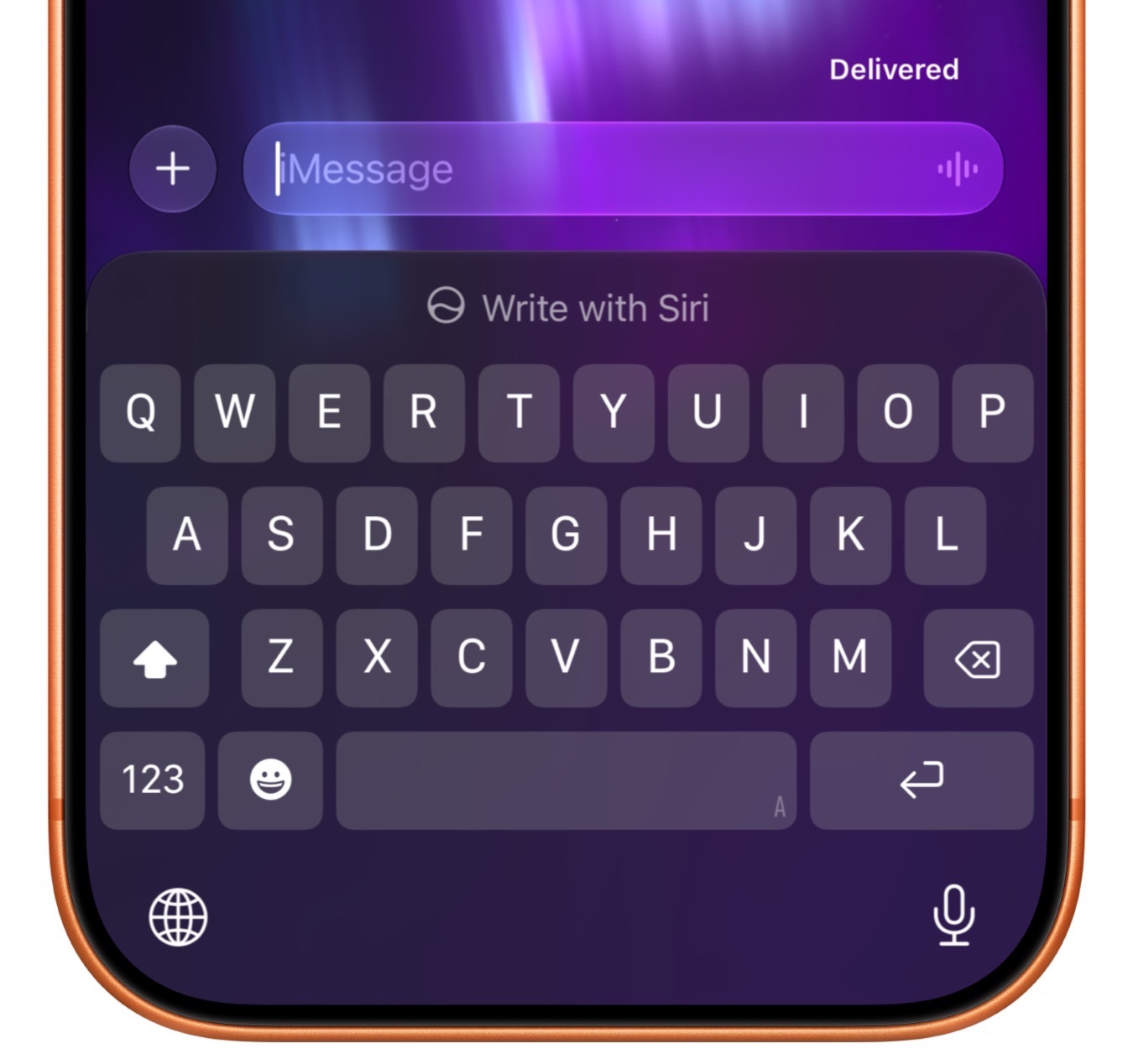
Write with Siri
A new “Write with Siri” button is now above the keyboard in Notes, Mail, Messages, and other apps, making it easier for users to locate the option. In the first beta, the “Write with Siri” option was only available when selecting text.
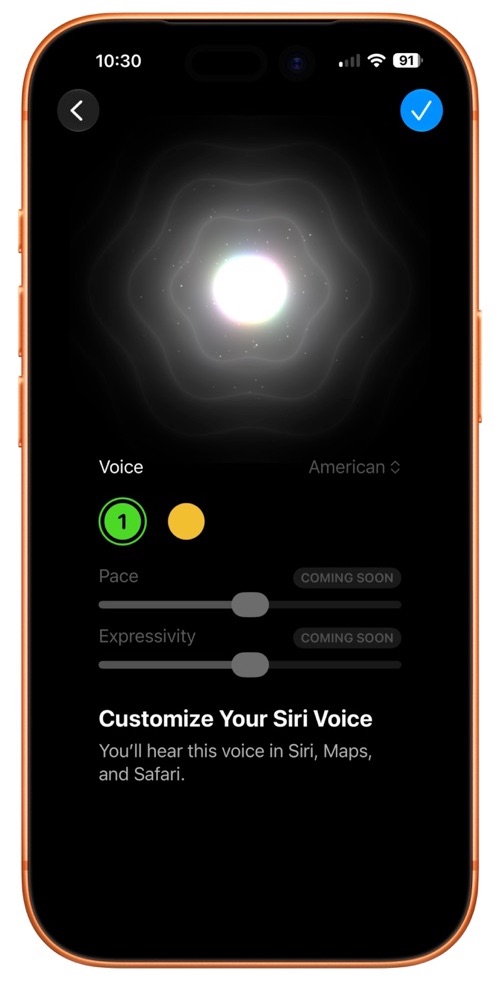
Siri Voice Customization
The Siri voice customization feature available on the iPhone 17 Pro, iPhone 17 Pro Max, and iPhone Air now show Pace and Expressivity as “Coming Soon.” The options were inoperable in the first iOS 27 beta.
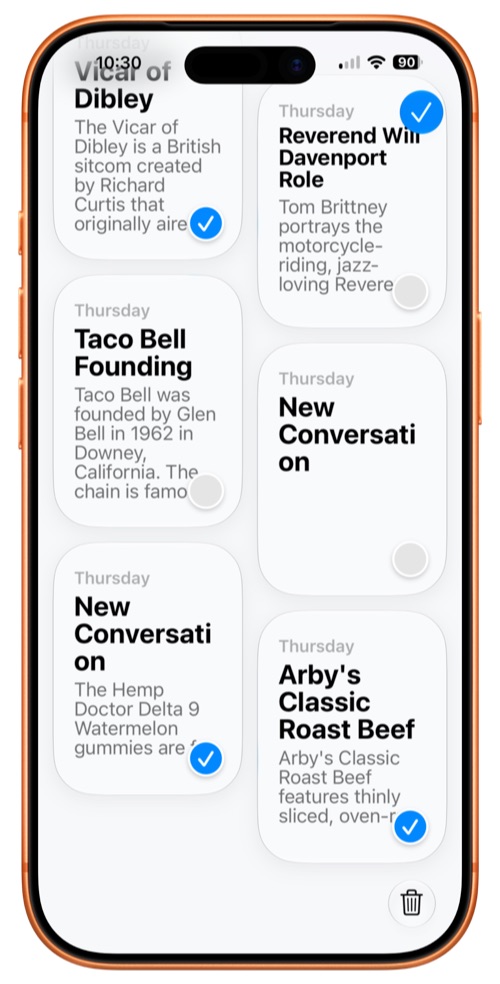
Siri App
A new option allows users to select multiple conversations to delete in the Siri app.
Photos
The AI tools in the Photos app are now available for RAW images.
Apple TV
iOS 27 beta 2, updates the Home app, adding support for remotely updating an Apple TV, which is now listed in the Updates section of the Home app’s Settings interface. A tap of the Apple TV update button installs the latest software without needing to turn on the Apple TV.
RCS
Apple added support for replying to a specific message in an RCS conversation with an Android user. Simply long press on a message to see the option to reply to a message. The feature works the same way that it does with iMessages.
iOS 27 also displays tapback/reaction emoji on images and videos properly.
Create a Pass in Wallet
In the Create a Pass feature in Wallet, there are texture options available when choosing a color.
AirPort Utility
Apple says the AirPort Utility app will no longer be available for download in iOS 27. Users who already have the app can re-download it, but functionality of the app is not guaranteed in iOS 27.
Wallet App Insights
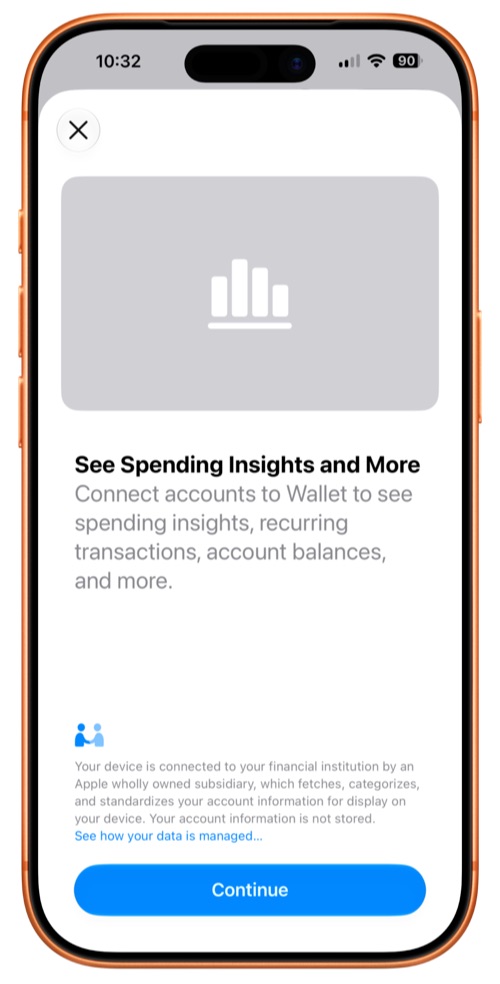
The Wallet app now includes a new “Insights” feature that can be accessed by tapping on the three-dot icon in the upper right corner. While the feature is not fully implemented, a splash screen promises access to see spending insights, recurring transactions, account balances, and more. Apple says up-to-date account information will be available through the feature.
iCloud Backup Notifications
Code found in iOS 27 indicates Apple will now send notifications if an iCloud backup doesn’t work properly. The notification reads, “There’s a problem with our server, so you may not be able to backup or restore your device right now. Try again later.”
Visual Intelligence
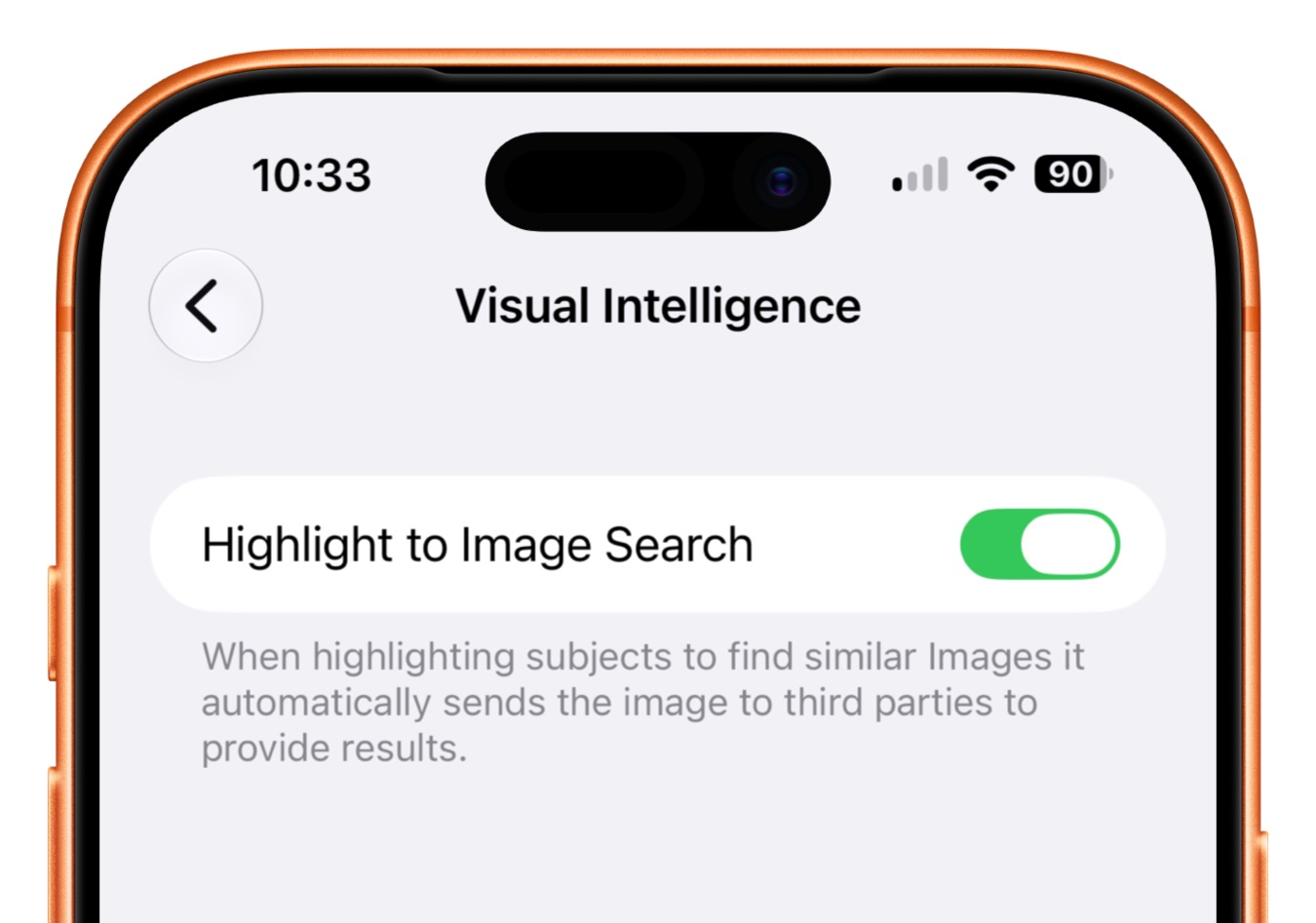
A new Visual Intelligence option is available in the Siri section of the Settings app. Highlight to Image Search is turned off by default. Turning it on will automatically send images to third parties when highlighting subjects to find similar images.
Camera App
There are now yellow highlights around the camera tools button when a hidden camera feature like exposure adjustment is enabled.
HomeKit Cameras
A long press on incoming notifications from HomeKit Secure Video cameras allow users to watch the video from the motion alert and to turn on lights located near the camera.
HomeKit Accessories
Beta 2 fixes the problem of some HomeKit accessories becoming unresponsive after installing iOS 27 and tvOS 27.
Weather
Some of the light blue text in the Weather app – such as precipitation levels, condition descriptors, and more – has been updated to be lighter and brighter, making it easier to read.
