

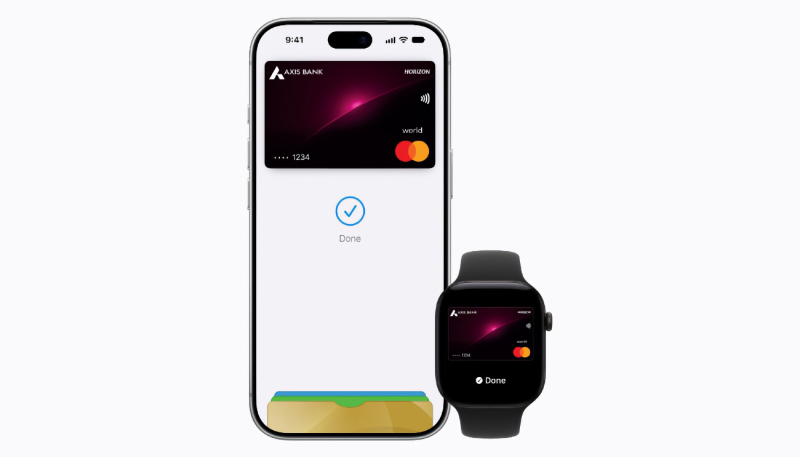
Apple Pay is now available in India, albeit for customers of only one bank. Axis Bank customers with a Visa or Mastercard credit card can add it to the Wallet app on iPhone and Apple Watch for contactless and online payments.
Merchants and payment terminals ib India will need to add Apple Pay support, so the service might not work at every contactless payment location.
RuPay, India’s domestic card network, is not compatible with Apple Pay. Major banks such as HDFC Bank, ICICI Bank, and SBI Card have not added support either.
Adding Your Credit or Debit Card to Apple Pay
Once Apple Pay arrives in their country, users can add their credit or debit card to the service by doing the following:
- iPhone users running iOS 12 can go to the Wallet app and tap the “+” icon in the upper right-hand corner to begin, and then just follow the prompts.
- To enter a new card: Tap Debit or Credit Card, tap Continue, then hold iPhone near the chip on the card. If the card doesn’t have a chip, tap Enter Card Details Manually, then enter the card number or tap Scan Card with Camera.
- To enter a previous card: Tap Previous Cards, then choose any cards you previously used. These cards may include the card associated with your Apple Account, cards you use with Apple Pay on your other devices, cards you added to Safari AutoFill, or cards you removed from Wallet. Tap Continue, authenticate with Face ID or Touch ID, then follow the onscreen instructions.
- Apple Watch users will need to enter the Watch app on their iPhone, Tap on the “Wallet & Apple Pay” option, and then tap the “Add Credit or Debit Card” option.
First introduced in 2014, Apple Pay is now available in dozens of countries or regions around the world.
The full list of Apple Pay countries and regions is available on Apple’s website.
For more information about the service, visit the Apple website.
