

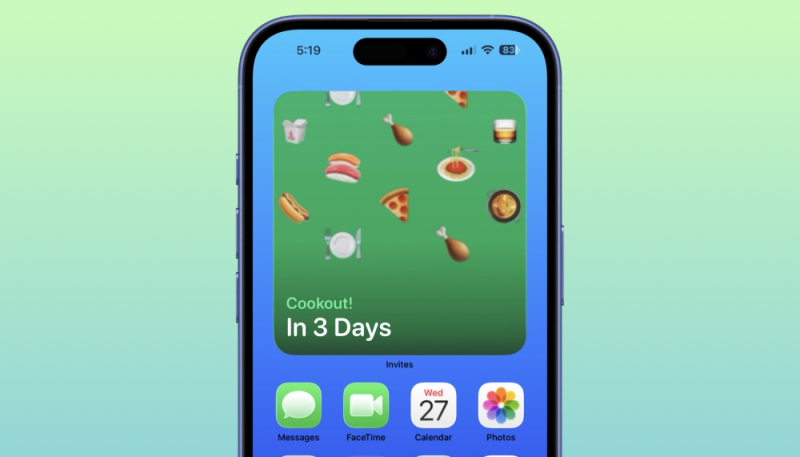
Apple has updated its Invites app, adding a new widget that users can add to their Home Screen to countdown to their next event.
First, update the Apple Invites app to the latest version, and following that you can add an Invites widget to your Home Screen by doing the following:
- Long press on your iPhone’s Home Screen.
- Tap on “Edit.”
- Tap on the “Add Widget” option.
- Choose from one of three widget sizes: small, medium, or large.
The widget will appear on your Home Screen, and will allow you to keep track of home many days are remaining until the event at a glance. Tap on the widget to open up the Invites app to view more information about the event.
Apple debuted the Invites app in February of this year. While the app is a free download, it requires an iCloud+ subscription. Users can create invitations with unique background images, fonts, and relevant information, and anyone can RSVP, regardless of whether they have an Apple Account or Apple device.
The Invites app is free ad is available from the App Store for free.
