

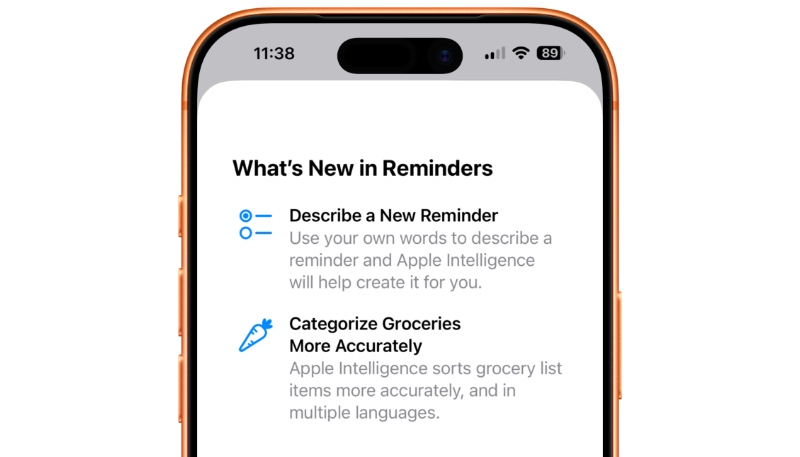
iOS 27 brings new features to the Reminders app. Here’s what’s new in Reminders in iOS 27.
Ability to Describe Your Reminder
Apple Intelligence in iOS 27 brings Reminders a new level of natural language support for new reminders. When creating a new reminder, Apple Intelligence now allows you to use your own words ]to describe a reminder and Apple Intelligence will help create it for you.
In theory, the new AI-powered feature should make reminder creation quicker and more seamless than before.
Upgraded Metadata Editor Inside Lists
In iOS 26, when creating or editing a task, you would be presented with five options above the keyboard row: Date, Location, Tag, Flag, and Camera.
New in iOS 27, Reminders moves all metadata options into a new box that surrounds your active reminder. The new UI lets you modify the following:
- Date
- Time
- Urgent
- Repeat
- Location
- Tag
- Flag
- Camera
Grocery List Improvements
Apple says it has improved the Reminders’ grocery list auto-sorting feature in two ways:
- It now “sorts grocery list items more accurately”
- Grocery list sorting now expands to multiple languages
More info on iOS 27 Reminders’ grocery list feature is available here.
