

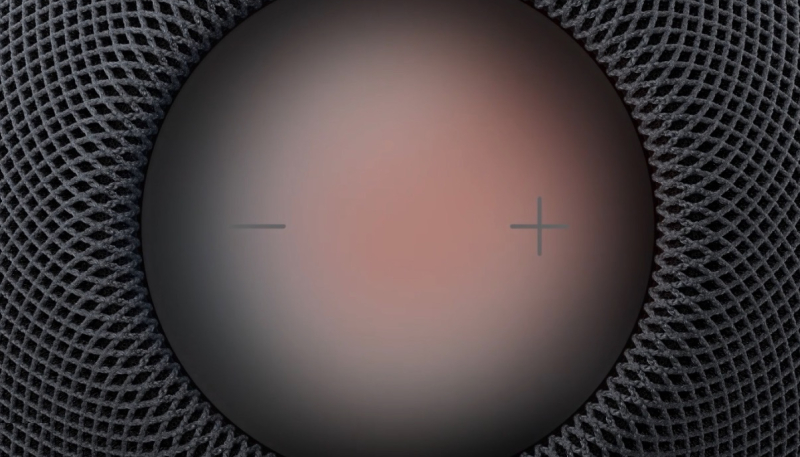
Apple today released its new HomePod 27.2 software for the HomePod and the HomePod mini. The update brings the new Sound Glow visual experience to existing HomePod minis and 2nd-generation HomePods.
Apple’s release notes are below.
HomePod software version 27.2 brings the new Sound Glow visual experience, home theater surround sound with Apple TV 4K (4th generation), and support for using HomePod speakers with your Mac, along with bug fixes and security updates for your HomePod.
– Sound Glow on HomePod mini, HomePod mini 2, and HomePod (2nd generation) turns the top of HomePod into a visual display that pulses and glows in sync with your media and shows matching light animations for soundscapes
– Home theater surround sound supports connecting four HomePod speakers to Apple TV 4K (4th generation) for an immersive listening experience. Requires matching front and rear pairs of HomePod mini 2 or HomePod (2nd generation)
– HomePod speakers with your Mac lets you set HomePod as the audio output for everything you do on your Mac, with a responsive and persistent AirPlay connection
– Lock controls let you disable the touch controls on top of HomePod to prevent accidental taps from pausing music, skipping songs, or changing the volumeThis update brings enhancements to the Apple Music, Podcasts, and AirPlay experiences on tvOS. It also brings captions to more content, adds the ability to block individual apps, and provides bug fixes and security updates for your Apple TV 4K.
How to Update HomePod Software
Your HomePod or HomePod mini should update automatically, but you can also manually update your device by doing the following:
- Open the Home app.
- Tap on the icon that looks like three dots in the upper right corner.
- Tap on “Home Settings.”
- Scroll down to “Software Update.”
- Tap “Software Update” to see if there are any available updates.
- Once you’ve tapped on “Software Update,” you’ll see the current version of the HomePod software that is installed on your HomePod or HomePod mini. You can also toggle off automatic updates if you want.
- If there is an available update, tap the “Install” button to update your HomePod. If you have more than one HomePod or HomePod mini in your home, each one will be updated at the same time via this software update feature.
- A white spinning light appears on the top of HomePod while it’s updating. The update might take some time. Make sure that your HomePod stays plugged in while it’s updating.
The HomePod mini 2 will launch on Friday, October 30, while the new Apple TV 4K will hit store shelves on November 13.
