

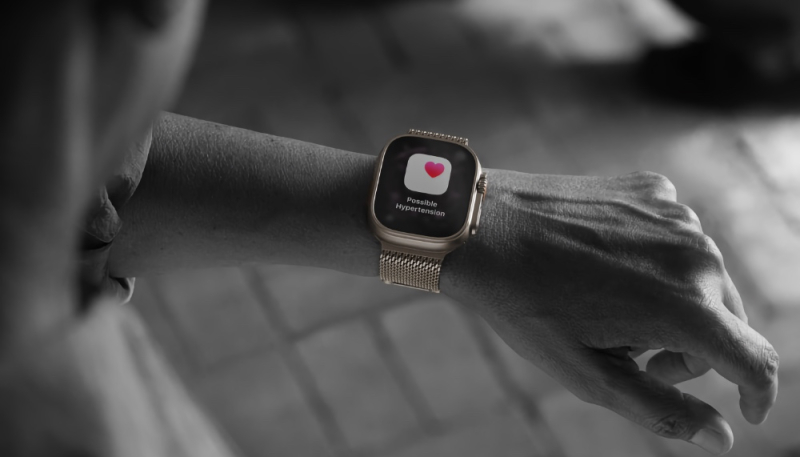
Apple’s new watchOS 26 software brings Hypertension Notifications to Apple Watch Series 9 and later and the Apple Watch Ultra 2 to warn Apple Watch users when chronic high blood pressure is detected.
Apple has now provided a look at how the feature works. The feature uses data collected from the Watch’s heart sensor, and uses a new algorithm to determine if there are signs of hypertension.
Hypertension is an ongoing condition that can cause damage to your heart, blood vessels, and other organs. Your Apple Watch can analyze data collected by the optical heart sensor and notify you if it detects a pattern of hypertension. This is done over 30 day evaluation periods, starting from the day you set up hypertension notifications.
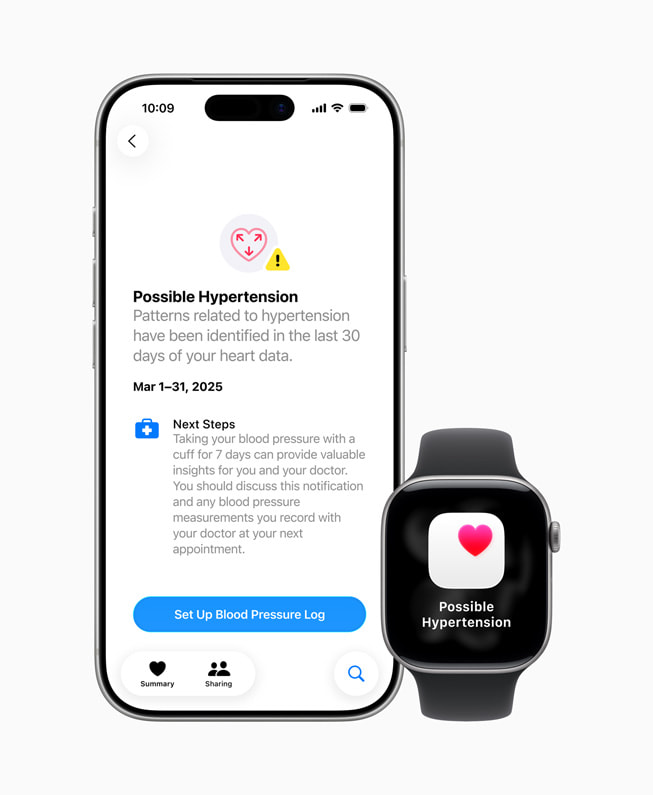
Hypertension alerts require 30 days of data, starting when the user sets up Hypertension Notifications in the Health app on the iPhone. If hypertension is identified within the last 30 days of heart data, users will get a notification.
The feature is intended for users 22 years or older, that are not pregnant, and that have not already been diagnosed with hypertension. If you don’t meet those criteria, you should not enable it.
Here’s what you need
- An Apple Watch Series 9 or later or Apple Watch Ultra 2 or later, with the latest version of watchOS. (Currently watchOS 26)
- An iPhone 11 or later with the latest version of iOS. (Currently iOS 26)
- Make sure Wrist Detection is turned on.
- You must be 22 years or older, not pregnant, and have not been diagnosed with hypertension.
If you have an active pregnancy logged in the Health app, you won’t be allowed to enable the Hypertension Notifications Feature.
How to turn on hypertension notifications
- On your iPhone, open the Health app.
- Tap your profile icon in the upper corner.
- Under Features, tap Health Checklist.
- Tap Hypertension Notifications.
- Confirm your age and if you’ve ever been diagnosed with hypertension, then tap Continue.
- Tap Next to follow the onscreen prompts to learn how the notifications work.
- Tap Done.
Users who receive a hypertension notification should discuss the hypertension notification and their blood pressure measurements with their healthcare professional at their next appointment. They will also be prompted to set up a Blood Pressure Log and use a third party blood pressure cuff to measure and track their blood pressure for 7 days.
Apple warns that the feature is not intended to diagnose, treat, or aid in the management of hypertension or other conditions such as blood clots, stroke, atrial fibrillation, congestive heart failure, or high cholesterol. It also warns that not all people with hypertension will receive a notification.
Also, Apple Watch cannot detect heart attacks. If you ever experience chest pain, pressure, tightness, or what you think is a heart attack, call emergency services immediately.
