

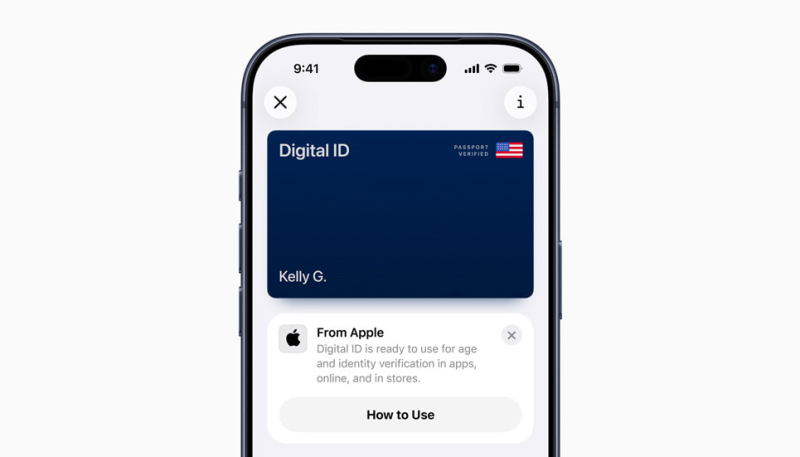
Apple today announced the launch of Digital ID, which allows users to create an ID in Apple Wallet using information from their U.S. passport, and present it on their iPhone or Apple Watch.
To create and present a Digital ID based on a U.S. passport, you need:
- An iPhone 11 with iOS 26.1 or later installed, or an Apple Watch Series 6 or later with watchOS 26.1 or later installed
- Face ID or Touch ID and Bluetooth enabled
- An Apple Account with two-factor authentication enabled
- A valid, unexpired U.S. passport
- Your device region set to United States
To create a Digital ID, tap on the plus sign in the top-right corner of the Wallet app on the iPhone, and then select Driver’s License or ID Cards. Next, tap Digital ID and follow the on-screen instructions.
During setup, users must scan the photo page of their physical passport with their iPhone. They will also be asked to use their iPhone to read the chip embedded on the back of their passport, to ensure the data’s authenticity. Users are then asked to take a selfie for verification, and will be prompted to complete a series of facial and head movements during the setup process.
After creating a Digital ID in the Wallet app, users can present it at TSA checkpoints in select U.S. airports for age and identity verification purposes when traveling domestically. However, it is not a replacement for a physical passport, and cannot be used when traveling internationally or when crossing borders.
Apple said Digital IDs are accepted at TSA checkpoints at more than 250 airports in the U.S. at launch. However, the company said the feature is still in public beta.
To present a Digital ID, simply double-click the iPhone’s side button and then select Digital ID. You will then need to hold the iPhone near a scanner, review the information being requested, and authenticate with Face ID or Touch ID. You can also present your Digital ID using your Apple Watch.
In the future, users will also be able to present their Digital ID at select stores for identity and age verification in person, as well as in supported apps and online on supported websites.
All Digital ID data is encrypted, ensuring that your personal data is protected against tampering and theft. You will not need to unlock your device or show your device or hand it over to TSA officials to present your Digital ID.
More information about the passport feature is available in an Apple support document.
