


Apple today released the first Background Security Improvement (BSI) update, releasing macOS Tahoe 26.3.1, iOS 26.3.1, and iPadOS 26.3.1 BSI updates, as well as a macOS Tahoe 26.3.2 BSI update exclusive to the MacBook Neo. The BSI updates are a replacement for the rapid security updates that Apple used to send out a few years ago.
The first BSI updates address a WebKit vulnerability that could allow maliciously crafted web content to bypass Same Origin Policy. Apple says that the vulnerability was addressed with improved input validation.
iOS 26.3.1 (a) , iPadOS 26.3.1 (a), macOS 26.3.1 (a), macOS 26.3.2 (a)
Released March 17, 2026
WebKit
Available for: iOS 26.3.1, iPadOS 26.3.1, macOS 26.3.1, macOS 26.3.2
Impact: Processing maliciously crafted web content may bypass Same Origin Policy
Description: A cross-origin issue in the Navigation API was addressed with improved input validation.
WebKit Bugzilla: 306050
CVE-2026-20643: Thomas Espach
Background Security Improvements were added with iOS 26, iPadOS 26, and macOS Tahoe, and Apple tested them in iOS 26.3, iPadOS 26.3, and macOS Tahoe 26.3 before today’s official release.
Background Security Improvements deliver important security improvements between software updates and are available only for the latest versions of iOS, iPadOS, and macOS.
Background Security Improvements can be installed by going to the Settings app, then tapping “Privacy and Security,” scrolling down to “Background Security Improvements,” and tapping that option, then tapping the “Install” option on the next screen. If the “Automatically Install” switch is toggled to on, Background Security Improvements will be automatically installed when they come out.
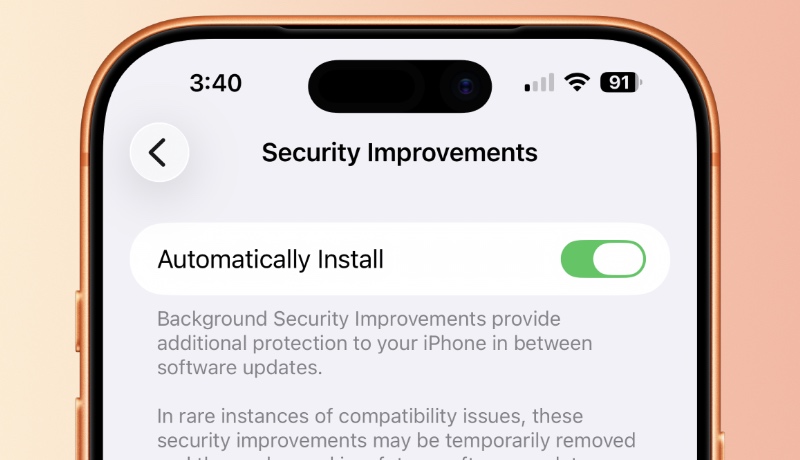
Users who opt not to install the Background Security Improvements will receive the updates in a standard software update.
Apple warns that Background Security Updates can result in “rare instances of compatibility issues.” In that case, Background Security Improvements may be temporarily removed and then enhanced in a subsequent software update.
