

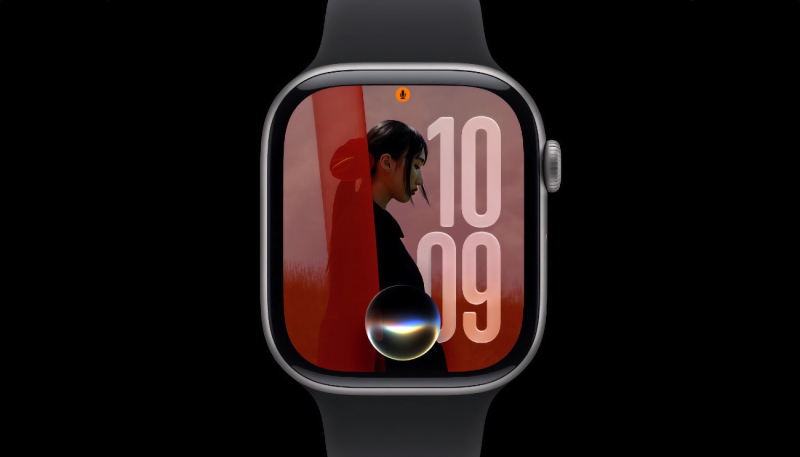
Apple earlier this week unveil watchOS 27, its upcoming new software for the Apple Watch. The new OS brings new gesture controls, a redesigned dynamic app grid, and usability and battery life improvements. Unfortunately, it looks like one feature didn’t make the move to watchOS 27.
Siri
The headlining feature at WWDC 2026 this year is of course, Siri AI, and the Apple Watch has not been left out of the fun.
Users can ask open-ended questions directly from their wrist, as well as brainstorm ideas and continue conversations across multiple responses.
Siri can also use information stored across notes and other personal content to answer questions.
New Gesture Controls for Smart Stack
A new tap gesture allows users to select a widget in the Smart Stack by tapping their thumb and index finger together once to select widgets and access information with one hand. Smart Stack suggestions now surface more contextually relevant widgets.
Users can also create custom passes for any membership or card that uses a QR code or barcode and access it directly from the Apple Watch’s Wallet app or pin it to the Smart Stack. Transit cards and IDs will also appear in the Smart Stack.
Dynamic App Grid
The new dynamic app grid surfaces and rearranges five apps based on context and usage. Users can simply tap the bottom center icon to go to the rest of their apps.
Liquid Glass
Liquid Glass in watchOS 27 has been improved, offering better readability, with more uniform refraction and better contrast.
Find My
Find My on the Apple Watch is completely redesigned, providing a more map-centric layout, while consolidating the Find Devices, Find People, and Find Items apps into a single unified view.
watchOS 27 also brings more flexible sharing options within Find My, offering users greater control over how they share their location and item tracking with other users.
New Call Context Feature
A new Call Context feature proactively provides relevant information from other apps during a phone call to a business, including displaying such information as a confirmation code from Mail when a user calls an airline.
Fitness, Workout, and Sleep Tracking
watchOS 27 also brings a large number of fitness, workout, and sleep tracking improvements.
Workout Buddy is gains new data-driven motivation features, delivering progress updates for pace, distance, and workout duration based on a user’s fitness history. Workout Buddy can now function without a nearby iPhone. Workout Buddy is also expanding to Spanish, meaning Spanish-speaking users can now receive personalized fitness motivation in their preferred language.
Indoor run and walk distance tracking is also more accurate in watchOS 27, thanks to improved motion tracking algorithms, without requiring a connected iPhone. Route maps in the Fitness app are also receiving an accuracy improvement.
Sleep tracking is also more accurate, though Apple has not yet detailed what changes it has made for the improvements. The update also brings a step count sync fix.
Other Improvements
Other improvements include faster app extension launches, improved Wi-Fi connectivity, faster Music playback startup, better battery efficiency with suggested optimizations, more efficient water detection, Guest Key support, and the ability to view card balances in the Wallet app.
The settings interface in the Apple Watch app on iPhone also features a new design.
No Walkie-Talkie App
Apple has removed the Walkie-Talkie app from the first developer beta of watchOS 27. The app is no longer present in the Control Center or the app list.
While the app’s removal has not been officially confirmed by Apple, users running the first watchOS 27 beta have reported that the app is nowhere to be found, and there is no option to reinstall it.
Of course, this is the first beta release, and Apple could restore the app in a later beta.
A developer beta of watchOS 27 is now available, and a public beta is set to arrive next month, followed by wide public launch in the fall.
