NEWS
HOW TO
GIVEAWAYS
REVIEWS
SHOP
DEVICES
Apple TV
Apple Watch
HomePod
iPad
iPhone
iPod
Mac
+
WALLPAPERS
GAMES
OPINION
SECURITY
APPS
ABOUT US
ABOUT US
CONTACT US
PRIVACY POLICY
TERMS OF SERVICE
NEWS
HOW TO
GIVEAWAYS
REVIEWS
SHOP
DEVICES
Apple TV
Apple Watch
HomePod
iPad
iPhone
iPod
Mac
+
WALLPAPERS
GAMES
OPINION
SECURITY
APPS
ABOUT US
ABOUT US
CONTACT US
PRIVACY POLICY
TERMS OF SERVICE
Follow Us
how to
How To
How to Access the iOS 11 One-Handed Keyboard on the iPhone
How To
How to Install the iOS 11 Public Beta on your iOS Device
How To
How to Set a New Default Search Engine in Safari on Your Mac
iPhone
Apple’s New iPhone 7 Photography Tutorial Videos Feature Photo’s ‘Memories’ Feature
How To
How to View a Dictionary Definition of a Word on Your Mac
How To
How To Save Photos in the iOS Messages App
How To
How to Name Your Alarms in the Clock App in iOS
How To
How to Keep Your Mac and Its Apps Updated Using the Mac App Store
How To
iOS 11 How To: Turn on Smart Invert ‘Dark Mode’ in iOS 11
How To
How To: Enable Device Screen Recording on an iOS 11 Device
How To
How to Control the Playback Speed of Podcasts in the iOS 10 Podcasts App
How To
Continuity: How to Setup and Use SMS and MMS Messaging on Your Mac and iOS Devices
How To
How to Clear Your Internet History in Safari on Your Mac
How To
How to Clear Internet Cookies in Safari on the Mac
Apple Watch
How to Ask Siri to Spell a Word for You on Mac, iOS, or Apple Watch
How To
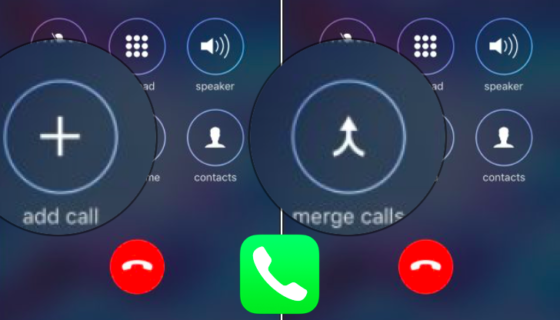
iPhone Conference Call – How To Add & Merge Calls
How To
How to Enable App Accessibility Features on Your Mac
Apple Watch
How To Wipe Your Apple Watch Clean Before Selling It
How To
How To Create App-Specific Passwords in iCloud
How To
How to Display the Wi-Fi Password When Joining a Network on Your Mac
How To
How to Check to See if a Used iPhone Has Been Stolen
How To
How to Use Folders on Your Mac
How To
How to Search Messages on your iOS 10 Device
How To
How to Toggle Dashboard On and Off in macOS Sierra