NEWS
HOW TO
GIVEAWAYS
REVIEWS
SHOP
DEVICES
Apple TV
Apple Watch
HomePod
iPad
iPhone
iPod
Mac
+
WALLPAPERS
GAMES
OPINION
SECURITY
APPS
ABOUT US
ABOUT US
CONTACT US
PRIVACY POLICY
TERMS OF SERVICE
NEWS
HOW TO
GIVEAWAYS
REVIEWS
SHOP
DEVICES
Apple TV
Apple Watch
HomePod
iPad
iPhone
iPod
Mac
+
WALLPAPERS
GAMES
OPINION
SECURITY
APPS
ABOUT US
ABOUT US
CONTACT US
PRIVACY POLICY
TERMS OF SERVICE
Follow Us
how to
How To
iOS 10 How To: Share an App Using 3D Touch
How To
How To Disable Picture-in-Picture Video on Your iPad
How To
How to Turn ‘Do Not Disturb’ On or Off Using Siri
How To
How to Designate Someone to Manage Your Facebook Profile When You Die
How To
How to Use 3D Touch to Preview a Chapter in iBooks
How To
How to Customize Siri Suggestions in Spotlight
Apple Watch
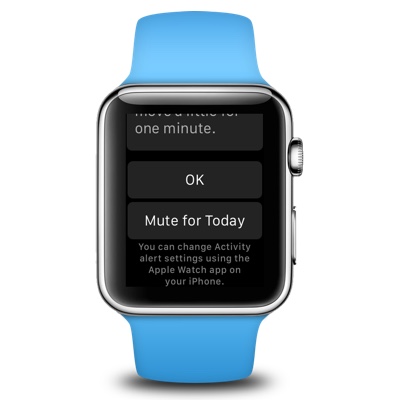
How To Mute (or Un-Mute) the Stand Notification on Your Apple Watch
Apple TV
How to Enjoy Amazon Prime Video on Your Apple TV
How To
How to Use Your iPhone’s Built-In Scientific Calculator
How To
How To: Keep Your Messages From Appearing on Your iPhone’s Lock Screen
Apps
How To: Use 3D Touch to Get Directions from an Address in iMessages
How To
How To: Setup and Use PlayStation 4 Remote Play on Your Mac
Apps
How To: Save an Apple News Article for Later Reading
How To
How To Bring Back the Scroll Bars in OS X Lion and Above
How To
How To Quick Tip: Peeking at a Bookmark in Safari Using 3D Touch
Apple Watch
6 Quick Tips and Tricks for the New Apple Watch Owner
Apps
How To: Use 3D Touch to Peek and Pop Albums and Playlists in Apple Music
Apps
How To: Preview and Manage Email Using 3D Touch on Your iPhone 6s/6s Plus
Apps
How To: Quickly Search a Web Page in iOS 9 Safari
How To
How To: Respond to a Call on Your iPhone With a Text Message
Apple Watch
How To: Flip Your Apple Watch for a Better Experience
How To
How To: Turn Off Receiving iMessages on Your Mac
How To
Video How To: Change the Name of Your iPhone or iPad
Apps
How To: Save Data Usage by Turning Off Web Page Preloading in Safari on Your iOS Device