NEWS
HOW TO
GIVEAWAYS
REVIEWS
SHOP
DEVICES
Apple TV
Apple Watch
HomePod
iPad
iPhone
iPod
Mac
+
WALLPAPERS
GAMES
OPINION
SECURITY
APPS
ABOUT US
ABOUT US
CONTACT US
PRIVACY POLICY
TERMS OF SERVICE
NEWS
HOW TO
GIVEAWAYS
REVIEWS
SHOP
DEVICES
Apple TV
Apple Watch
HomePod
iPad
iPhone
iPod
Mac
+
WALLPAPERS
GAMES
OPINION
SECURITY
APPS
ABOUT US
ABOUT US
CONTACT US
PRIVACY POLICY
TERMS OF SERVICE
Follow Us
how to
Apple Watch
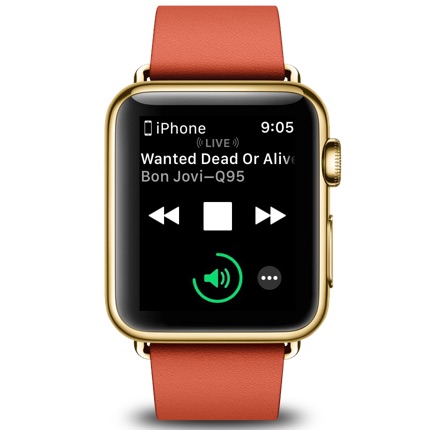
How To Turn Off the Auto Music Controls Display on the Apple Watch (watchOS 4)
How To
How to Force Restart or Hard Reset Your New iPhone 8 or iPhone 8 Plus
How To
How to Use Do Not Disturb While Driving Feature on iOS 11
How To
How to Recover Closed Tabs in the Safari Browser on iOS
How To
How to Use the Tor Network on Your iOS Device
How To
How to Set Up and Secure a Personal Hotspot on Your iPhone or iPad
How To
How to Customize Your AirPods Controls in iOS 11
How To
Cops Knocking on Your Door? iOS 11 ‘Emergency SOS’ Feature Quickly Disable’s Touch ID
How To
How to Find Your Lost AirPods Using ‘Find My iPhone’
How To
iOS for Beginner’s: How to Share Photos From Your iPhone or iPad
How To
How to Print a Safari Webpage Without Ads on Your Mac
How To
How To Use the Search Function in Notes on Your iOS Device
How To
How to for Beginners: Dial a Phone Number from a Text Message on Your iPhone
How To
Beginner’s How To: Search for Completed Tasks in the iOS Reminders App
How To
How to View and Edit Your Facebook Liked Pages List on Your iPhone
How To
How to View Webpages in Reader Mode in Safari on the iPhone
Apple Watch
How to Stop New Apps From Automatically Installing on Your Apple Watch
How To
How to Clear Your Individual Internet History Entries in Safari on Your Mac
How To
How to View Your Monthly Cellular Data Usage in the iOS 11 Beta
Apps
How to Make Your Photos Look Like 1-Bit B&W Images from the Original Macintosh
How To
How to View How Much Time You Spend in Apps on Your iOS Device
How To
How to Use Spotlight Search on Your Mac
How To
How To Customize Control Center in iOS 11
How To
How to Install the macOS High Sierra Beta on Your Mac (If You Must)